
Post Date: March 29, 2025
Last Updated: November 02, 2026
Introduction
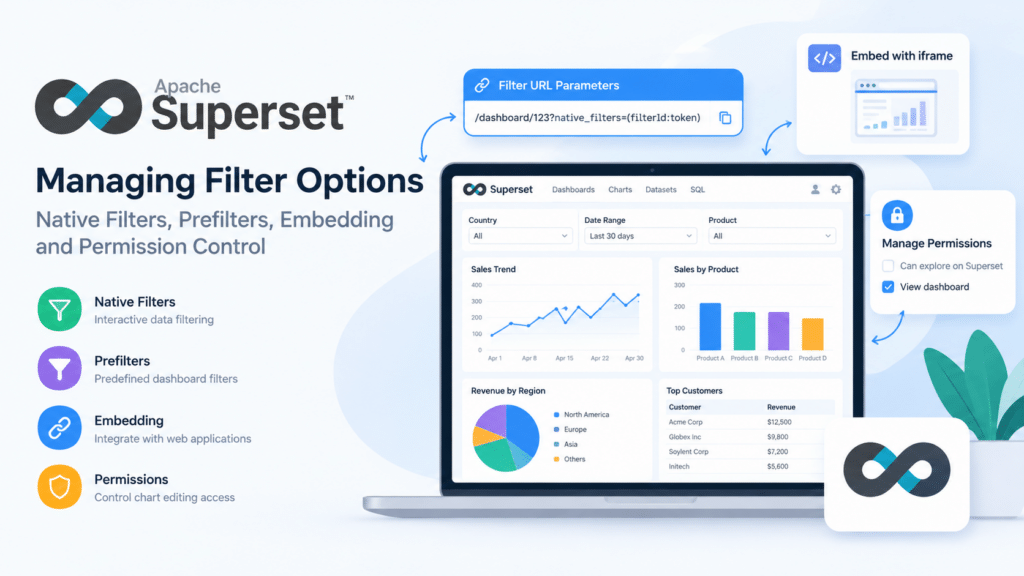
Apache Superset managing filter options is important for creating interactive dashboards and controlling how users access and explore visualized data. Apache Superset provides native filters and prefilters to customize dashboard data, while role-based permissions help administrators control chart editing capabilities.
In this guide, we will explain how to configure dashboard filters, pass filter values through dashboard URLs, embed dashboards into web applications, and restrict the Edit Chart option by managing user permissions. For additional information, refer to the official Apache Superset documentation.
Prerequisites
- Apache Superset installed and configured.
- Administrator credentials for Apache Superset.
- A dashboard with filters configured.
- A web application if the dashboard needs to be embedded.
- Access to Superset role and permission settings.
Implementation
Apache Superset Managing Filter Options: Native Filters and Prefilters
Apache Superset managing filter options involves configuring native filters and prefilters according to dashboard requirements. Native filters allow users to interactively filter dashboard data, while predefined filters help control which data is displayed when a dashboard is opened.
Apache Superset provides two primary methods to filter data in dashboards:
1. Prefilter
- Prefiltering allows predefined filtering on the dashboard before the user interacts with it.
- Useful for restricting data visibility based on user roles or predefined criteria.
2. Native Filter
- Native filters provide an interactive filtering experience for users directly in the dashboard.
- They allow dynamic data filtering based on selected criteria.
A sample Filter-ID and Token are provided below:
- Filter ID:
NATIVE_FILTER-xxxxxxxxxxxxxx1 - Token:
43Tbxxxxxx890RT
Using these, you can filter data in a dashboard URL as follows:
https://localhost:5000/superset/dashboard/b669334e-7948-4fb5-80eb-6f4eac6d86bc/?permalink_key=pAzJAb0Mg3K&standalone=1&native_filters=(${filterId}:((__cache:(label:'${token}',validateStatus:!f,value:!('${token}')),extraFormData:(filters:!((col:token,op:IN,val:!('${token}'))),apply:!t),filterState:(label:'${token}',validateStatus:!f,value:!('${token}')),id:${filterId},ownState:()))&random=${Math.random()}
This URL can be used to pass the selected filter value to the dashboard.
Embedding Dashboards with Filter Options
When embedding dashboards, Apache Superset managing filter options also involves passing the required filter state and configuring dashboard display parameters. This allows applications to present relevant dashboard data to users without requiring them to configure every filter manually.
To integrate an Apache Superset dashboard into a web application, use an iframe as follows:
https://localhost:5000/superset/dashboard/b669334e-7948-4fb5-80eb-6f4eac6d86bc/?standalone=1
This will display the dashboard within your application. However, users may see an Edit Chart option when clicking the three dots on a chart. This allows direct access to Apache Superset without requiring login credentials.

To restrict this permission, follow the steps below:
Managing Edit Chart Permissions
Apache Superset managing filter options also requires appropriate role-based access control. Administrators can configure user roles and permissions to allow dashboard viewing while restricting unauthorized chart editing and exploration.
Step 1: Log in to Apache Superset
Log in using your administrator credentials.
Step 2: Navigate to Role Management
- Click on Settings → List Roles.
- Locate the public role (or the role assigned to embedded dashboard users).
Step 3: Modify Permissions
- Click Edit on the Public role.
- Look for the permission “Can explore on Superset“.
- Remove this permission and save the role.

Step 4: Validate Changes
- Open your embedded dashboard again.
- The Edit Chart option should now be removed.

Conclusion
Apache Superset managing filter options helps administrators create interactive dashboards, configure native filters, and embed filtered dashboards into external applications. Proper role-based permissions also help control which users can view dashboards and access chart editing features.
By combining dashboard filters, embedding configurations, and appropriate permissions, administrators can provide a more controlled and user-friendly dashboard experience.
FAQs
1. What are native filters in Apache Superset?
Native filters provide an interactive way for users to filter dashboard data based on selected criteria.
2. What is the purpose of prefiltering?
Prefiltering allows predefined filters to be applied to a dashboard before users interact with it. It can be useful for restricting data based on predefined conditions.
3. Why does the Edit Chart option appear in an embedded dashboard?
The Edit Chart option can appear when the user or role has the required Superset permissions, such as Can explore on Superset.
4. How can I remove the Edit Chart option?
Log in as an administrator, navigate to Settings → List Roles, edit the relevant role, remove Can explore on Superset, and save the changes.
5. Can an Apache Superset dashboard be embedded into another website?
Yes. A Superset dashboard can be displayed inside a web application using an iframe or other supported embedding methods.
Related Articles
Install Apache Superset on Ubuntu via Docker Compose
Learn how to install and configure Apache Superset on Ubuntu using Docker Compose.
How to Install Apache Superset on Ubuntu via Docker Compose
Embed Superset Dashboard with Authentication and RLS
Learn how to embed an Apache Superset dashboard into a private website while implementing authentication and Row-Level Security (RLS).
Embedding Superset Dashboard into a Private Website with Authentication and RLS
Let’s Build Your Next-Generation Website with Our Experts
Looking for the right technology solution for your business? Our team of experts can help you with Web Development Services, cloud, DevOps, design, and a wide range of other technology needs.
Connect with our technology experts.