
Post Date: January 9, 2020
Last Updated: November 07, 2026
Introduction
This guide explains how to fix the ssh2 already loaded warning in PHP. It appears whenever you run PHP, in the terminal, in cron output, or in your logs:
PHP Warning: Module 'ssh2' already loaded in Unknown on line 0
When PHP prints ssh2 already loaded, it means the ssh2 extension is being loaded more than once. PHP only loads each extension a single time, so the second attempt produces the warning. The extension itself still works. The message is a sign that your PHP configuration has a duplicate entry.
The original guide suggested commenting out a line or removing a file. That works, but only if you disable the right one. If you comment out the only line that loads ssh2, the extension stops working altogether. This version shows how to find every place it’s loaded first.
Prerequisites
Before you fix the ssh2 already loaded warning, make sure you have:
- Root or sudo access to the server
- Access to the command line, so you can run
phpdirectly - A backup of any configuration file you’re about to change
Architecture
- When PHP starts, it reads the main
php.inifile - It then scans an extra configuration folder (usually
php.dorconf.d) and reads every.inifile in it, in alphabetical order - Each
extension=line in those files loads a module. If two lines load the same module, PHP warns that it’s already loaded - The warning is printed during startup, before any script has been opened, which is why PHP can only say “Unknown on line 0”
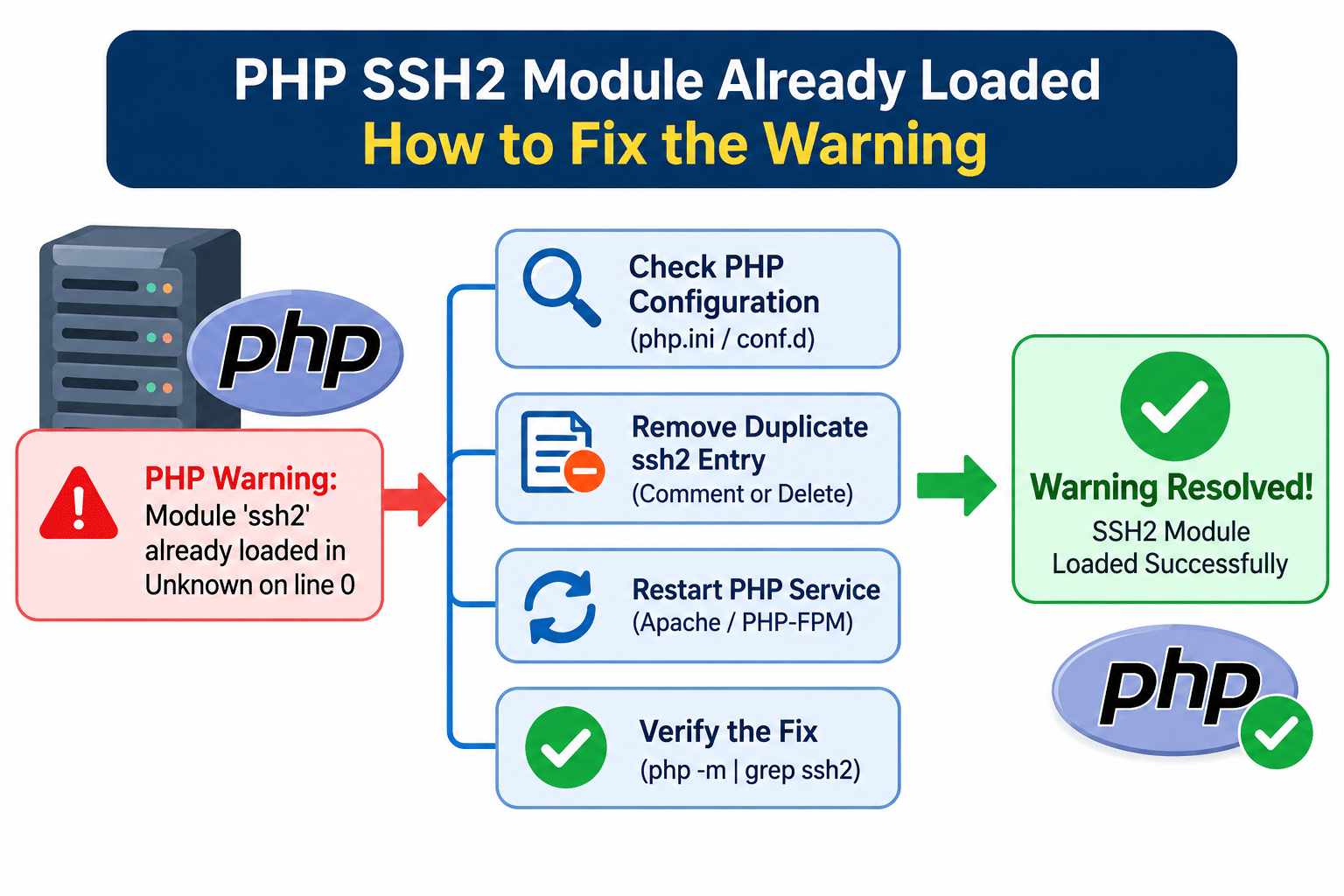
The image below shows how the ssh2 already loaded warning is triggered. For how PHP finds its configuration files, see the PHP manual’s page on the configuration file.
Steps to Fix the ssh2 Already Loaded Warning
1. See the Warning and Find Your Config Files
Run PHP from the command line to see the ssh2 already loaded warning for yourself:
php -v
The warning appears at the top, above the version information. Then list the configuration files PHP is reading:
php --ini
Note the “Loaded Configuration File” and the “Scan for additional .ini files in” folder.
Note: If your server runs several PHP versions, such as cPanel or Plesk multi-PHP, run these commands with the specific PHP binary you’re troubleshooting, because each version has its own
php.dfolder.
2. Find Every Place That Loads ssh2
Search the main file and the extra folder shown by php --ini. For example:
grep -rn "ssh2" /etc/php.ini /etc/php.d/ 2>/dev/null
grep -rn "ssh2" /etc/php/ 2>/dev/null
Look for lines such as:
extension=ssh2.so
extension=ssh2
Both forms load the module, so check for both. If you find two or more, you’ve found the duplicate PHP extension entry that causes the warning.
Note: On Debian and Ubuntu, the
cli,fpm, andapache2folders each hold a link to the samessh2.inifile. That’s normal, and each one is loaded only once by its own PHP type. The problem is a second, separate line inphp.inior in another.inifile.
A common cause is installing the extension twice: once from your distribution’s package and once with pecl install ssh2. PECL often adds its own extension line to php.ini, on top of the package’s own .ini file.
3. Keep One and Disable the Others
Back up the file first, then disable all but one:
- Duplicate line: edit the file and put a semicolon at the start of the extra line, so it reads
;extension=ssh2.so - Duplicate file: if two separate
.inifiles both loadssh2, move one out of the folder, for examplesudo mv /etc/php.d/duplicate-ssh2.ini /root/duplicate-ssh2.ini.bak
This clears the ssh2 already loaded warning, as long as exactly one entry remains. Don’t disable every entry.
4. Reload PHP
The command line picks up the change immediately. For websites, restart the service your site uses. For PHP-FPM:
sudo systemctl restart php-fpm
On Debian and Ubuntu, the service name includes the version, for example php8.2-fpm. If you use PHP through Apache, restart Apache instead (apache2 or httpd).
5. Verify
php -v
php -m | grep -i ssh2
The warning should be gone, and ssh2 should still appear in the module list. If it’s missing from the list, you disabled the only entry, so restore one line.
Troubleshooting
If the ssh2 already loaded warning is still there, check these:
- It’s gone in the terminal but still in website logs: the web server’s PHP uses a different set of config files, such as the
fpmfolder on Debian and Ubuntu. Check the files for that PHP type Call to undefined function ssh2_connect()after the change: you disabled every entry. Re-enable one- You installed the extension two ways: remove one of them, for example with
pecl uninstall ssh2or by removing the distribution package, and keep a single source - A different module is reported: the same warning appears for any extension loaded twice, and the same steps apply
Conclusion
To fix the ssh2 already loaded warning in PHP, find every extension line that loads ssh2 with php --ini and grep, keep exactly one, disable the others, reload PHP, and confirm with php -v and php -m. The key detail is checking before you disable anything, so you don’t remove the only entry.
Frequently Asked Questions
Why does the ssh2 already loaded warning show Unknown on line 0? The warning is raised while PHP is starting up, before it opens any script. There’s no file or line to report yet, so PHP prints “Unknown on line 0”.
Can the ssh2 already loaded warning break my site? The extension keeps working, but the warning can be printed into your page output or cron mail. On a website, that can cause problems such as “headers already sent” errors, so it’s worth fixing.
Does this apply to other extensions? Yes. The same “already loaded” warning appears for any module listed twice, and the same fix works.
Should I use a distribution package or PECL for ssh2? Either works, but use only one. The distribution package is easier to keep updated with the system, while PECL gives you more control over the version.
Related Articles
Resolve phpMyAdmin Configuration Storage Warning and Enable Extended Features
PHP2Shell Vulnerability: How to Protect Your PHP Server from CVE-2026-109618 and CVE-2026-109619
Talk to Our Technology Experts
Seeing PHP warnings or extension conflicts on your servers? Our team can help with PHP configuration, multi-version setups, and ongoing server support.