
Post Date: April 14, 2020
Last Updated: November 09, 2026
Introduction
Web Host Manager (WHM) is a web-based administrative interface that allows server administrators and hosting providers to manage cPanel accounts, domains, hosting packages, DNS settings, and other server-related configurations.
If you want to create a new cPanel account in WHM, you can easily set up a separate hosting account for your domain. WHM provides an easy way to manage multiple websites, hosting packages, and server resources. In this guide, we will walk you through the step-by-step process of creating a new cPanel account in WHM and configuring the necessary settings.
Prerequisites
Before creating a new cPanel account in WHM, ensure that you have the following:
- WHM Login Credentials: Root or reseller-level access to the WHM interface.
- Registered Domain Name: A valid domain name that you want to host on the server.
- Hosting Package: A predefined hosting package with the required disk space, bandwidth, and other resource limits. Alternatively, you can use the default package.
- DNS Configuration: Access to the domain registrar or DNS management panel to update the domain’s nameservers or DNS records.
- Server Resources: Sufficient disk space, bandwidth, and other server resources to accommodate the new cPanel account.
Implementation
Creating a Cpanel:
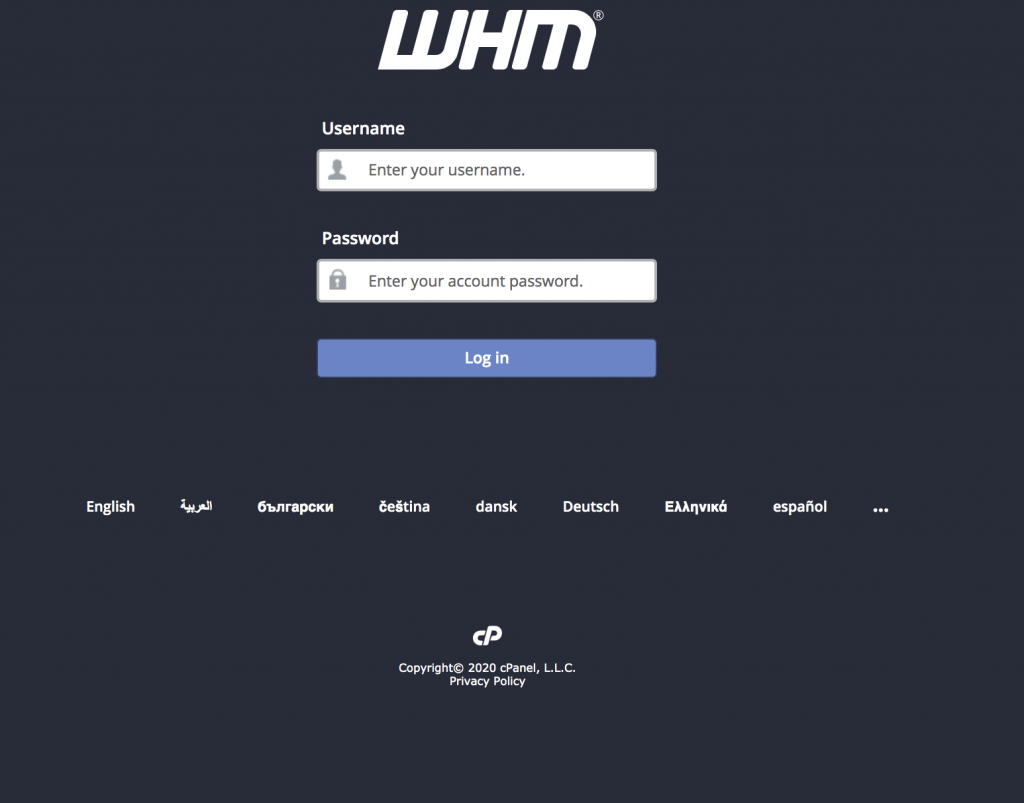
- Login to the WHM.
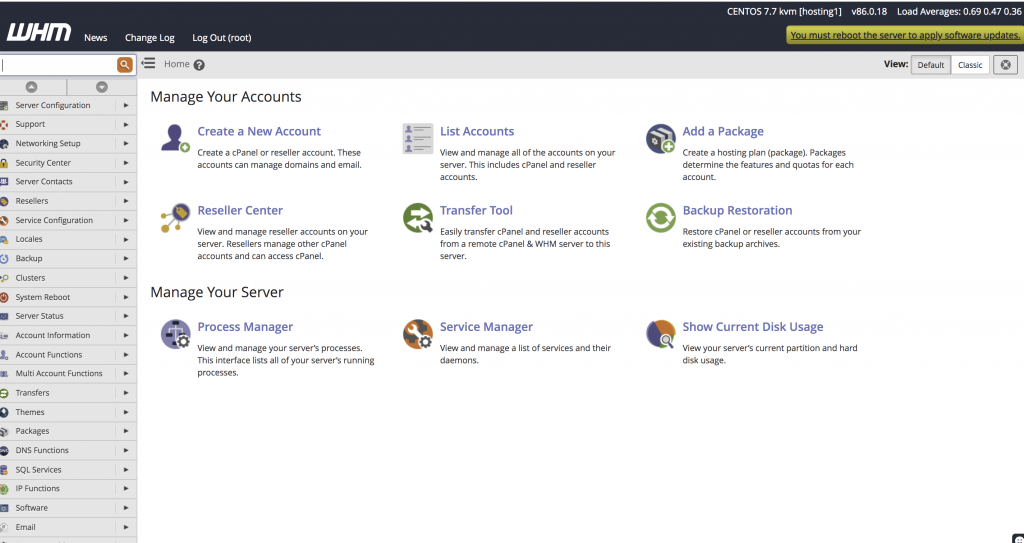
2. Once log in WHM and it shows Manage your Accounts on the home page. You can click on Create a New Account. Please refer below image.
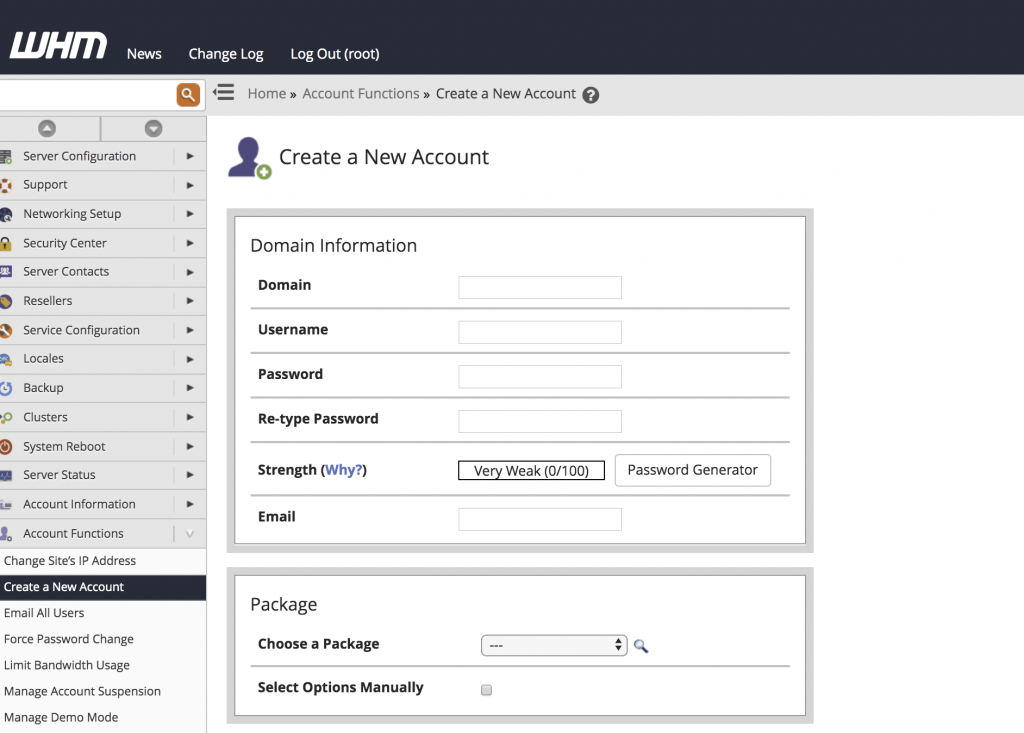
3. After click on New Account Creation, Under Domain Information you can enter the domain name, username, password (twice) and the contact email address. In the Package section, select the package your have already created.
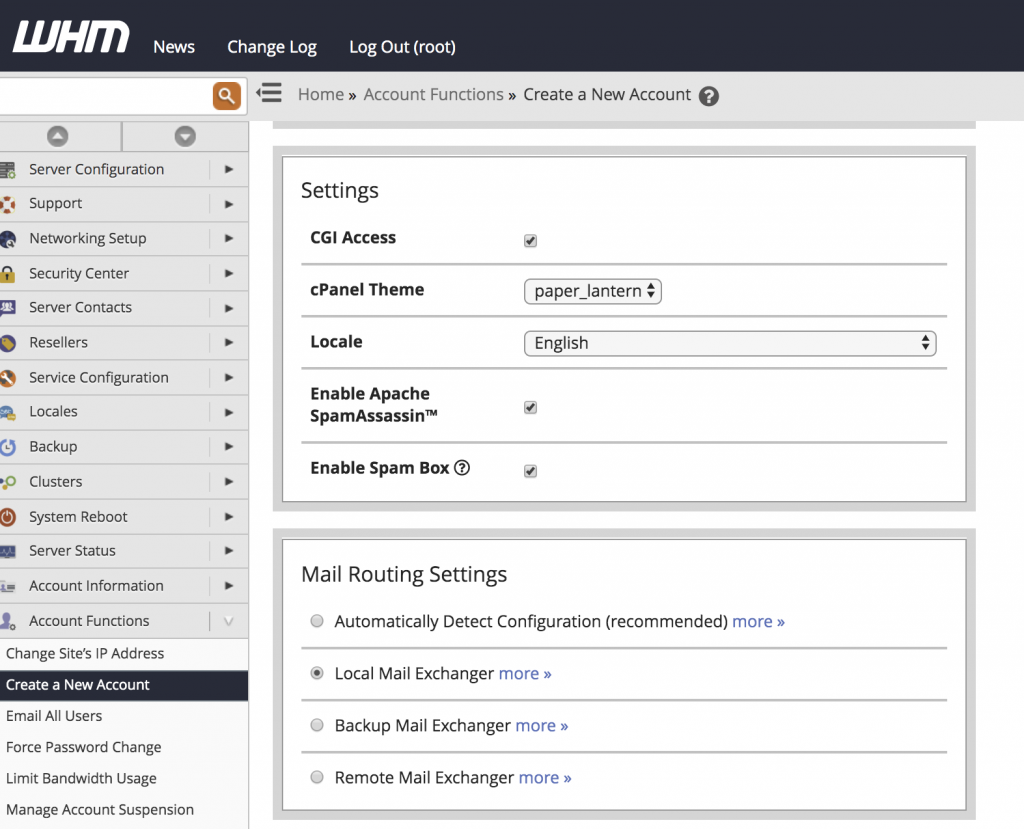
4. Once you enter the above details, the theme and language of the cPanel can be set on the Settings option. Select how the mail is to be handled under Mail Routing Settings.
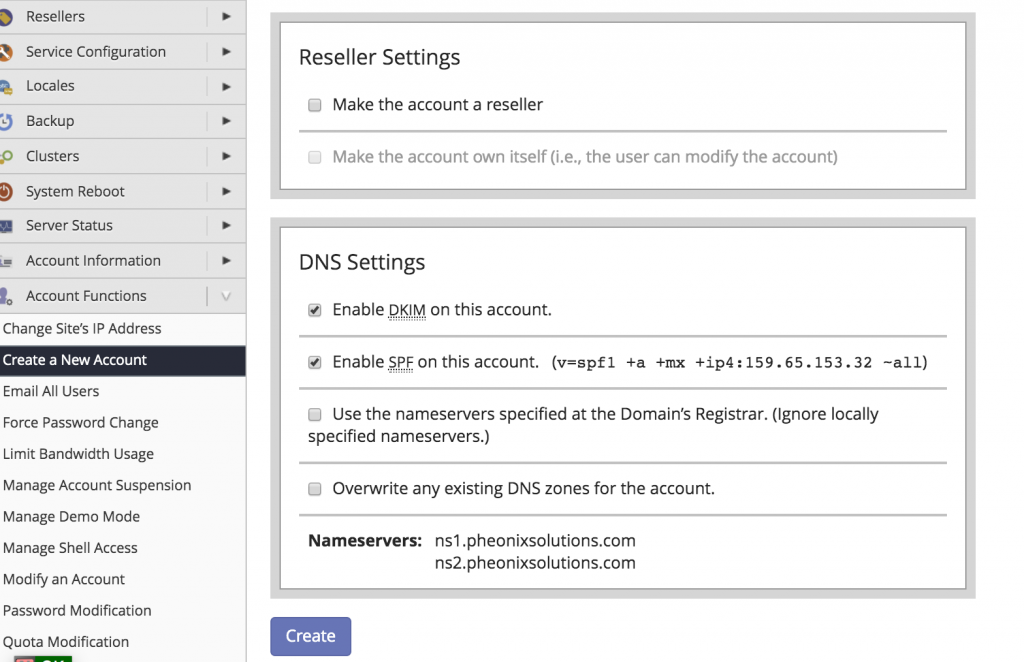
5. Under Reseller Settings choose to make the account a reseller and DNS Settings choose which nameservers will be set in the records and the SPF and DKIM records that will be held in the local DNS nameserver tables. and finally, click on Create option.
Conclusion
Creating a new cPanel account through WHM is a straightforward process that allows administrators to host and manage multiple domains on a single server. By configuring the domain information, hosting package, mail routing, reseller permissions, and DNS settings correctly, you can successfully create a new hosting account.
Once the account creation is complete, you can access the newly created cPanel account using the domain name (e.g., https://example.com:2083) or the server’s IP address with the cPanel port (e.g., https://192.168.1.100:2083).
Properly configuring the account and DNS settings ensures that the domain is ready for hosting websites, managing email accounts, and other cPanel-related services.
FAQs
1. What is WHM, and why is it used?
WHM (Web Host Manager) is a web-based control panel that allows server administrators and hosting providers to manage multiple cPanel accounts, create hosting packages, configure DNS settings, and manage server resources.
2. What is the difference between WHM and cPanel?
WHM is used by server administrators to manage hosting accounts, whereas cPanel is used by individual website owners to manage their websites, email accounts, databases, files, and other hosting features.
3. Can I create multiple cPanel accounts in WHM?
Yes. WHM allows administrators and authorized resellers to create and manage multiple cPanel accounts, depending on their hosting plan and available server resources.
4. Do I need to create a hosting package before creating a cPanel account?
Creating a hosting package beforehand is recommended because it allows you to define resource limits such as disk space, bandwidth, and other account restrictions. However, you can also create an account using the default package.
Related Articles
How to Install WHM cPanel on Ubuntu 20.04
How to add redirection rule through WHM
Official Documentation
Need Help Creating and Managing cPanel Accounts?
Looking to create a new domain hosting account or manage multiple websites through WHM?
Pheonix Solutions provides cPanel hosting, WHM server management, website migration, server administration, and hosting support solutions.
Our team can help you create and configure cPanel accounts, manage hosting packages, configure DNS settings, troubleshoot hosting issues, and maintain your server’s performance and security.
Get in touch with our team to discuss your web hosting requirements.