
Post Date: October 3, 2019
Last Updated: November 8, 2026
Introduction
Deep copy and shallow copy in Python are two important methods used to create copies of objects. Python provides the built-in copy module to perform these operations.
When working with Python lists, dictionaries, and other mutable objects, copying data correctly is important. Depending on the copying method, changes made to a copied object may or may not affect the original object.
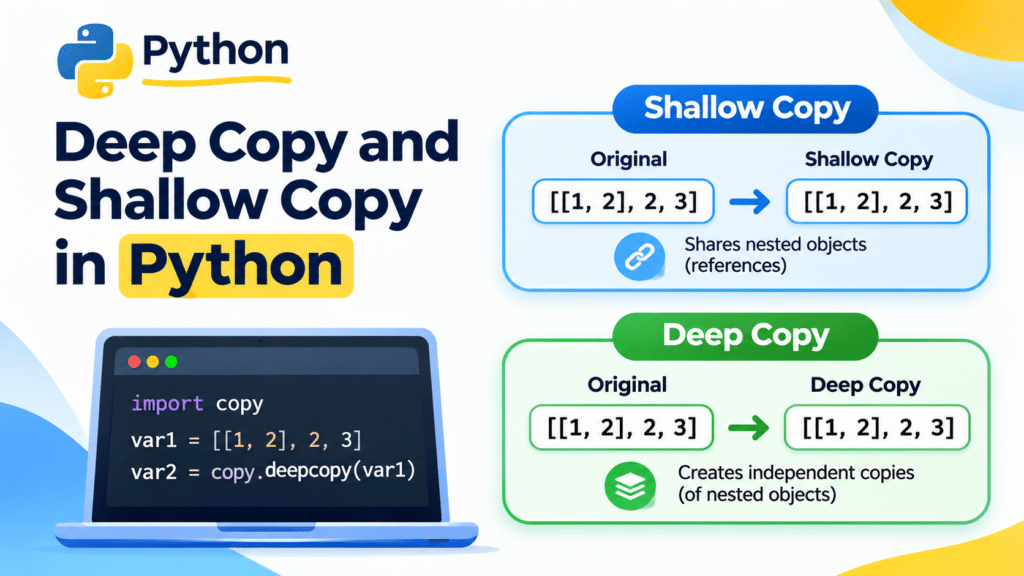
Python provides two main copying methods:
- Shallow Copy: Creates a new object but maintains references to the nested objects inside the original object.
- Deep Copy: Creates a new object and recursively copies the nested objects, keeping them independent of the original objects.
Let’s understand both methods with simple Python examples.
What Is Shallow Copy in Python?
A shallow copy creates a new object and copies references to the elements contained in the original object.
This means that the original object and the copied object are separate at the outer level. However, if they contain nested mutable objects, both copies can reference the same nested objects.
Python provides the copy.copy() method to perform a shallow copy.
Syntax
import copy

var2 = copy.copy(var1)
Example 1: Shallow Copy Using a Simple List
Let’s create a list and copy it using the copy.copy() method.
import copy

var1 = [1, 2, 3, 4]

var2 = copy.copy(var1)

print(var1)
print(var2)
Output:

Here, var1 is the original list, and var2 is the shallow copy. Both lists contain the same values, but they are separate list objects.
Example 2: Shallow Copy Using a Nested List
Let’s understand how shallow copying works with nested lists.
import copy

var1 = [[1, 2], 2, 3]

var2 = copy.copy(var1)

print(var1)
print(var2)
Output:

Now, let’s append a new element to the copied list.
var2.append(30)

print(var1)
print(var2)
Output:

The new element is added only to var2. The original list remains unchanged because the outer lists are separate objects.
Now, let’s modify an element inside the nested list.
var2[0][0] = 90

print(var1)
print(var2)
Output:

Notice that the nested list inside both objects has changed. This happens because a shallow copy maintains references to nested objects instead of creating independent copies of them.
What Is Deep Copy in Python?
A deep copy creates a new object and recursively copies the objects contained within it.
Unlike shallow copying, deep copying creates independent copies of nested objects. Therefore, modifying a nested mutable object in the copied list does not affect the corresponding object in the original list.
Python provides the copy.deepcopy() method to perform a deep copy.
Syntax
import copy

var2 = copy.deepcopy(var1)
Example 3: Deep Copy Using a Simple List
Let’s create a list and copy it using the copy.deepcopy() method.
import copy

var1 = [1, 2, 3, 4]

var2 = copy.deepcopy(var1)

print(var1)
print(var2)
Output:

Now, let’s append a new element to the copied list.
var2.append(90)

print(var1)
print(var2)
Output:

The new element is added only to var2. The original list remains unchanged.
Example 4: Deep Copy Using a Nested List
Let’s use a nested list to understand deep copying more clearly.
import copy

var1 = [[1, 2], [2, 3], [3, 4]]

var2 = copy.deepcopy(var1)

print(var1)
print(var2)
Output:

Now, modify an element inside the copied nested list.
var2[0][0] = 90

print(var1)
print(var2)
Output:

Here, the original list remains unchanged even after modifying a nested element in the copied list.
This happens because copy.deepcopy() recursively copies the nested objects, creating independent copies.
Difference Between Deep Copy and Shallow Copy in Python
Both methods create copies of objects, but they handle nested objects differently.
| Feature | Shallow Copy | Deep Copy |
|---|---|---|
| Python method | copy.copy() | copy.deepcopy() |
| Outer object | Creates a new object | Creates a new object |
| Nested objects | References are shared. | Nested objects are recursively copied. |
| Changes to outer list | Do not affect the original. | Do not affect the original. |
| Changes to nested mutable objects | Can affect the original | Do not affect the original. |
| Copying process | Generally faster | Generally more expensive |
| Memory usage | Generally lower | Can require more memory |
Conclusion
Understanding Deep Copy and Shallow Copy in Python is important when working with mutable objects and nested data structures.
The copy.copy() method creates a new outer object while retaining references to nested objects. In contrast, copy.deepcopy() recursively copies nested objects, allowing the copied structure to be modified independently.
Choose shallow copying when sharing nested objects is acceptable. Use deep copying when you need independent nested objects and want to avoid unexpected changes to the original data.
FAQs
1. What is the main difference between shallow copy and deep copy in Python?
A shallow copy creates a new outer object but shares references to nested objects. A deep copy recursively copies nested objects, making them independent of the original structure.
2. Which module is used for shallow copy and deep copy in Python?
Python provides the built-in copy module. It contains two important methods: copy.copy() for shallow copying and copy.deepcopy() for deep copying.
3. Does shallow copy affect the original list?
Modifying the outer copied list does not affect the original list. However, modifying a shared nested mutable object can affect both the original and copied lists.
Related Articles
Official Documentation
Talk to Our Experts
Looking for reliable Python development and application automation solutions?
Pheonix Solutions provides Python development, application automation, cloud solutions, and DevOps services to help businesses build efficient and scalable applications.
Our experts can help you develop Python applications, automate repetitive tasks, and implement solutions that support your business requirements.
Contact our experts to discuss your project requirements.