
Post Date: September 19, 2019
Last Updated: November 05, 2026
Introduction
Python dictionaries are one of the most commonly used data structures in Python programming. They allow developers to store, organize, and manage data using key-value pairs. Understanding Python Dictionary Operations helps developers efficiently access, modify, add, and remove data.
A Python dictionary is a mutable data structure, which means its contents can be changed after creation. It provides an efficient way to retrieve and manage structured information such as student records, employee details, product information, and application settings.
In this tutorial, we will explore Python Dictionary Operations and methods with simple examples. You will learn how to create an empty dictionary, initialize a dictionary with elements, access values using keys, update existing values, add new key-value pairs, and remove dictionary elements using built-in methods such as pop(), clear(), and del.
Whether you are a beginner learning Python or a developer improving your programming skills, this guide will help you understand Python Dictionary Operations and use dictionary methods effectively in real-world applications.
Introduction to Python Dictionaries
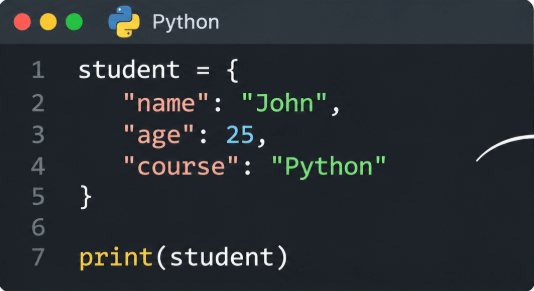
A Python dictionary is a collection of key-value pairs enclosed within curly braces {}.
Each key-value pair is separated by a colon (:), and multiple pairs are separated by commas (,).
Important characteristics of Python dictionaries:
- Dictionaries store data in key-value pairs.
- Dictionary keys must be unique.
- Values can contain different data types, including strings, integers, lists, and other dictionaries.
- Dictionaries are mutable, meaning their values can be modified.
- Dictionaries preserve insertion order in modern Python versions.
- Dictionary keys must be hashable.
Example:
Output:

1. Create an Empty Dictionary
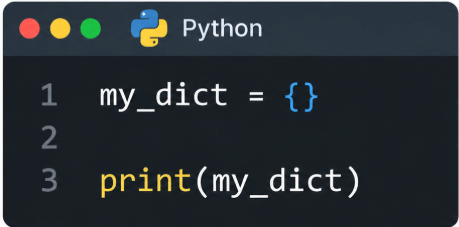
First, we can create an empty dictionary by assigning empty curly braces {} to a variable.
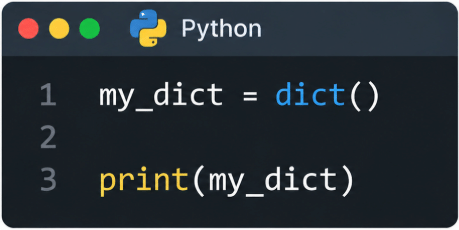
We can also use the built-in dict() function to create an empty dictionary.
Example:
Output:

Another method:
Output:

Both methods create an empty dictionary in Python.
2. Create a Dictionary with Elements
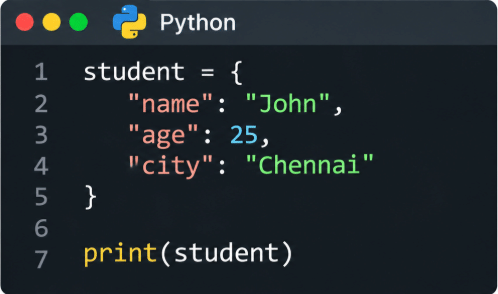
We can create a dictionary containing elements by placing key-value pairs inside curly braces {}.
Each key and value must be separated by a colon, and each pair must be separated by a comma.
Example:
Output:

In this example, name, age, and city are dictionary keys, while John, 25, and Chennai are their corresponding values.
3. Access Elements from a Dictionary
We can access dictionary elements using their corresponding keys.
To retrieve a value, specify the required key inside square brackets [].
Example:
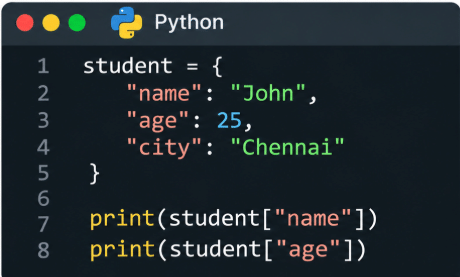
Output:

We can also use the get() method to access dictionary values.

Output:

The main advantage of using get() is that it returns None instead of raising a KeyError when the specified key does not exist (unless a default value is provided).
4. Update Dictionary Values
Python dictionaries allow us to update existing values using their keys.
If the specified key already exists, its corresponding value will be replaced with the new value.
Example:
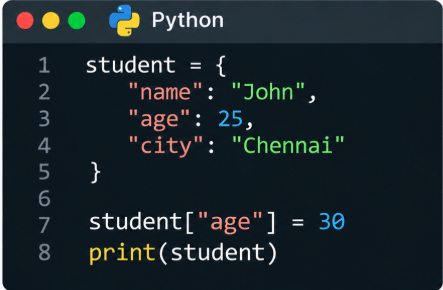
Output:

In this example, the student’s age is updated from 25 to 30.
5. Add Elements to a Dictionary
We can add new elements to an existing dictionary by assigning a value to a new key.
If the key does not already exist, Python creates a new key-value pair.
Example:
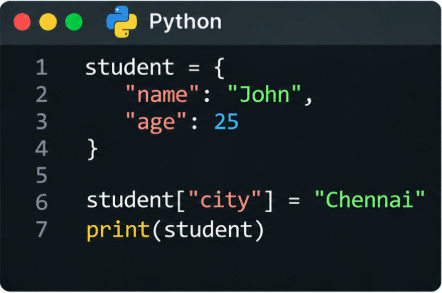
Output:

In this example, we added a new key called city with the value Chennai.
6. Remove Elements from a Dictionary
We can remove a specific element from a dictionary using the pop() method.
The pop() method removes the key-value pair associated with the specified key and returns its value.
Example:
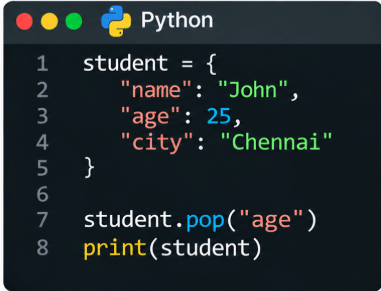
Output:

In this example, the pop() method removes the age key and its corresponding value from the dictionary.
If the specified key does not exist, pop() raises a KeyError unless a default value is provided.
7. Remove All Items from a Dictionary
We can use the clear() method to remove all elements from an existing dictionary.
After executing this method, the dictionary becomes empty but the dictionary variable still exists.
Example:
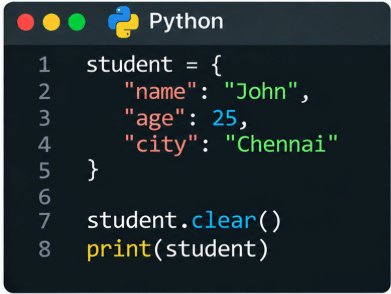
Output:

In this example, the clear() method removes all key-value pairs from the dictionary.
8. Delete an Entire Dictionary
We can use the del statement to delete an entire dictionary variable.
Once the dictionary is deleted, accessing that variable will raise a NameError because the variable no longer exists.
Example:
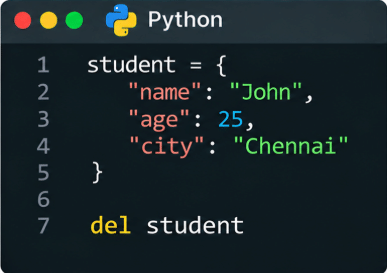
If we try to print the deleted dictionary:
Output:

9. Commonly Used Python Dictionary Methods
Python provides several built-in dictionary methods to manage and manipulate key-value pairs.
Some commonly used dictionary methods are:
| Method | Description |
|---|---|
get() | Returns the value associated with a specified key. |
keys() | Returns all dictionary keys. |
values() | Returns all dictionary values. |
items() | Returns all key-value pairs. |
update() | Adds or updates dictionary elements. |
pop() | Removes an element using its key. |
popitem() | Removes and returns the last inserted key-value pair. |
clear() | Removes all dictionary elements. |
copy() | Creates a shallow copy of the dictionary. |
setdefault() | Returns the value of a key or inserts a default value if the key is missing. |
Example:
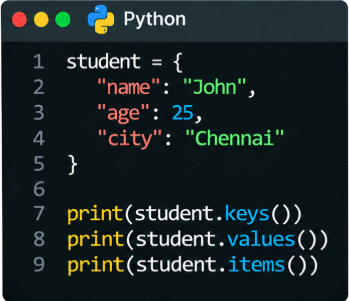
Output:

These methods make Python dictionaries useful for managing structured information in applications.
Conclusion
Python dictionaries are essential data structures that help developers store, organize, and manage information using key-value pairs. They provide flexible ways to access, modify, add, and remove data in Python applications.
In this tutorial, we explored different Python dictionary operations, including creating an empty dictionary, initializing a dictionary with elements, accessing values, updating existing items, adding new elements, removing specific items, clearing all elements, and deleting an entire dictionary.
We also discussed commonly used dictionary methods such as get(), keys(), values(), items(), update(), pop(), and clear().
Understanding these operations will help beginners build a strong foundation in Python programming. Practice these examples and explore additional dictionary methods to improve your Python development skills.
Frequently Asked Questions (FAQs)
1. What is a dictionary in Python?
A Python dictionary is a built-in data structure that stores information in key-value pairs. It is mutable, maintains insertion order, and requires unique, hashable keys. Dictionaries are defined using curly braces {}.
2. How do you add and update elements in a Python dictionary?
You can add or update dictionary elements using the assignment operator. If the key already exists, its value will be updated. Otherwise, a new key-value pair will be added.
Example:
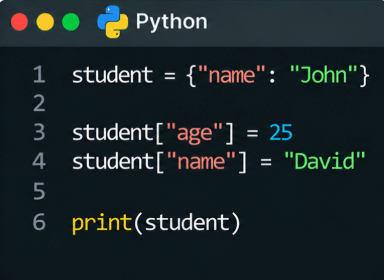
3. What is the difference between pop(), clear(), and del in Python dictionaries?
These are three different ways to remove dictionary data:
pop(): Removes a specific key-value pair and returns its value.clear(): Removes all elements but keeps the dictionary variable.del: Deletes the entire dictionary variable when used with the dictionary name.
Related Articles
Official Articles
Need Help with Python Development?
Planning to build a Python application or automate your business processes?
Pheonix Solutions helps businesses with Python development, application automation, cloud solutions, and DevOps services.
Our team can help you develop applications, simplify repetitive tasks, and build efficient software solutions.
Get in touch with our team to discuss your project requirements.