
Post Date: 10 February 2020
Last Updated: 11 November 2026
Introduction
jQuery’s empty() and remove() methods are commonly used to remove HTML content and elements from a webpage. Both methods help developers manipulate the DOM by removing unwanted elements. However, they differ in how they remove selected elements and their child content.
However, they work differently:
- The
empty()method removes all child elements and content inside the selected element while keeping the selected element itself. - The
remove()method removes the selected element along with all its child elements and content.
In this article, we will explore how to use jQuery empty() and remove() methods with simple HTML and JavaScript examples.
1. jQuery empty() Method
The jQuery empty() method removes all child elements and text content from the selected HTML element. The selected element itself remains in the document.
Syntax
$(selector).empty();
Here, selector specifies the HTML element whose child content needs to be removed.
Example: Using the empty() Method
The following example demonstrates how to remove all the content inside the <body> element when a button is clicked.
<!DOCTYPE html>
<html>
<head>
    <title>jQuery empty() Example</title>
    <script src="https://code.jquery.com/jquery-3.7.1.min.js"></script>

    <script>
        $(document).ready(function() {
            $("button").click(function() {
                $("body").empty();
            });
        });
    </script>
</head>

<body style="background-color: yellow;">
    <div>
        <center>
            <h3>Hello</h3>
            <h3>jQuery empty() Method</h3>
            <button>Click</button>
        </center>
    </div>
</body>
</html>
Output
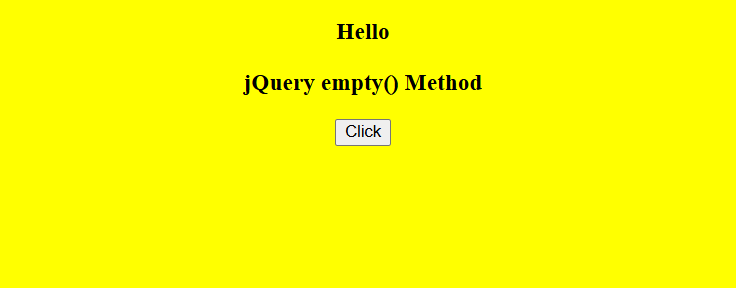
Before clicking the button:
The webpage displays the heading text and a button on a yellow background.
After clicking the button:
The empty() method removes all the content inside the <body> element. The body element itself remains.

2. jQuery remove() Method
The jQuery remove() method removes the selected HTML element from the DOM, including all its child elements and content.
Syntax
$(selector).remove();
Here, selector specifies the HTML element that needs to be removed.
You can also use an optional filter parameter to remove elements that match a particular condition.
$(selector).remove(filter);
Example: Using the remove() Method
In this example, clicking the button removes the paragraph element with the class name test.
<!DOCTYPE html>
<html>
<head>
    <title>jQuery remove() Example</title>
    <script src="https://code.jquery.com/jquery-3.7.1.min.js"></script>

    <script>
        $(document).ready(function() {
            $("button").click(function() {
                $("p.test").remove();
            });
        });
    </script>
</head>

<body style="background-color: pink;">
    <center>
        <div class="mycon">
            <p>Welcome</p>
            <p class="test">Remove this line</p>
            <h3>Hello</h3>
            <h3>jQuery remove() Method</h3>
            <button>Click</button>
        </div>
    </center>
</body>
</html>
Output
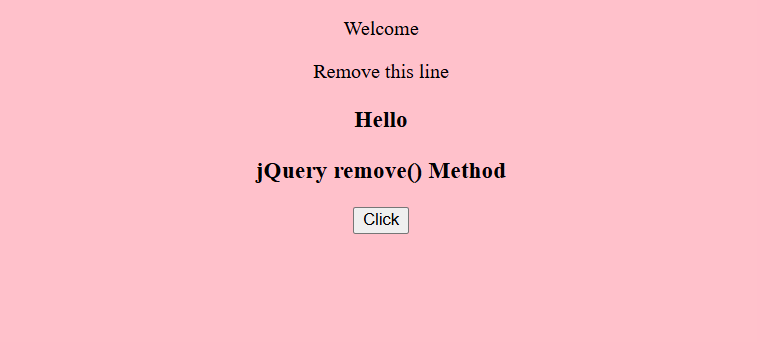
Before clicking the button:
The webpage displays two paragraphs, two headings, and a button on a pink background.
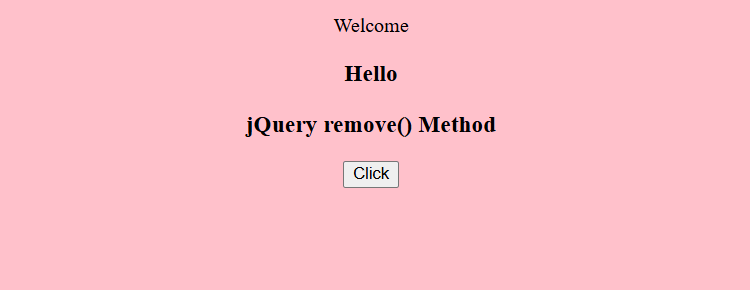
After clicking the button:
The remove() method removes the paragraph with the class name test. The remaining content stays on the webpage.
3. Difference Between jQuery’s empty() and remove() methods
Both methods remove content from a webpage, but their functionality is different.
| Feature | empty() | remove() |
|---|---|---|
| Purpose | Removes child elements and content | Removes the selected element |
| Selected element | Remains in the DOM | Is removed from the DOM |
| Child elements | Removed | Removed along with the parent |
| Common usage | Clearing container content | Removing unwanted HTML elements |
Conclusion
The jQuery empty() and remove() methods are useful for dynamically managing HTML elements.
- Use
empty()when you want to clear the content inside an element while keeping the element itself. - Use
remove()when you want to delete the selected element along with its content.
Understanding the difference between these methods helps developers manage webpage content more effectively.
Related Articles
Official Documentation
Build Better Web Solutions with Pheonix Solutions
Looking for reliable JavaScript development and web application solutions?
Pheonix Solutions provides web development, application development, cloud solutions, and DevOps services to help businesses build efficient and scalable digital solutions.
Our experts can help you develop interactive web applications, implement modern JavaScript functionality, and improve your application performance.
Contact our experts to discuss your project requirements.
Great content! Super high-quality! Keep it up! 🙂