
Post Date: August 14, 2019
Last Updated: November 03, 2026
Introduction
Python list methods are useful for storing, accessing, adding, removing, and managing multiple values in Python. Python provides several built-in list methods that make working with collections of data easier.
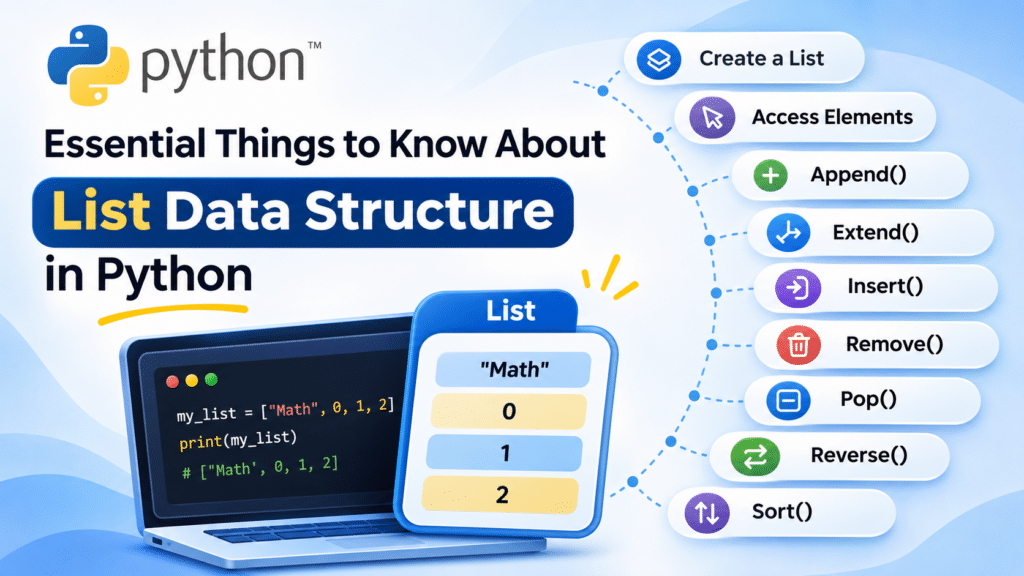
A list is a collection of items separated by commas and enclosed within square brackets ([]). It is useful when you want to store multiple values in a single variable.
Python lists can contain different data types, such as strings, integers, and floating-point numbers. Lists are also mutable, which means you can modify their contents after creation.
In this tutorial, we will explore Python lists and understand commonly used list operations with simple examples.
What Is a List in Python?
A list is an ordered collection of elements. Each element in a list has an index, starting from 0.
Some important features of Python lists include
- Lists can store multiple values in a single variable.
- List elements do not need to be of the same data type.
- Lists are ordered, so their elements maintain their positions.
- Lists are mutable, which means their values can be changed.
- Duplicate values are allowed.
- Lists support indexing and slicing.
Example: Creating a List
my_list = ["Math", 0, 1, 2, 4, 23, 56, 32, 234, 437, 987, "Physics", "Chemistry", 1997, 2008]

print(my_list)
Output:

List Operations in Python
Python provides several built-in methods to access, add, remove, and organize list elements. Let’s understand them with examples.
1. Accessing List Elements
You can access individual elements in a list using their index positions. The index starts from 0.
You can also use the slicing operator to access a range of elements.
Example:
my_list = ["Math", 0, 1, 2, 4, 23, 56, 32, 234, 437, 987, "Physics", "Chemistry", 1997, 2008]

# Print the complete list
print(my_list)

# Access the first element
print("First value:", my_list[0])

# Access elements using slicing
print("List from index 5 to 11:", my_list[5:12])
Output:

In the slicing operation, my_list[5:12] returns elements starting from index 5 up to, but not including, index 12.
2. Append to a List
The append() method adds a new element to the end of an existing list.
You can also append another list as a single element.
Example:
my_list = ["Math", 0, 1, 2, 4, 23, 56, 32, 234, 437, 987, "Physics", "Chemistry", 1997, 2008]

# Add an item to the end of the list
my_list.append("Mango")

print(my_list)

# Create another list
list1 = ["Apple", "Orange", "Banana"]

# Append the second list as one element
my_list.append(list1)

print(my_list)
Output:

The append() method adds the entire second list as one nested element.
3. Count Elements in a List
The count() method returns the number of times a particular value appears in a list.
Example:
my_list = ["Math", 0, 1, 2, 4, 23, 56, 32, 234, 437, 987, "Physics", "Chemistry", 1997, 2008, "Physics"]

# Count how many times Physics appears
x = my_list.count("Physics")

print(x)
Output:

In this example, "Physics" appears twice in the list, so the count() method returns 2.
4. Extend a List
The extend() method adds each element from another iterable to the end of an existing list.
Unlike append(), it does not add the entire second list as a single nested element.
Example:
list1 = ["Apple", "Orange", "Banana"]
list2 = ["Mango"]

# Add all elements from list2 to list1
list1.extend(list2)

print(list1)
Output:

5. Insert a Value into a List
The insert() method adds an element at a specified index position.
It takes two arguments:
- Index: The position where the element should be added.
- Value: The element you want to insert.
Example:
my_list = ["Math", 0, 1, 2, 4, 23, 56, 32, 234, 437, 987, "Physics", "Chemistry", 1997, 2008, "Physics"]

# Insert English at index position 1
my_list.insert(1, "English")

print(my_list)
Output:

The value "English" is inserted at index 1, and the existing elements are shifted to the right.
6. Pop an Element from a List
The pop() method removes an element from a list and returns the removed value.
You can specify the index of the element to remove. If no index is provided, it removes the last element.
Example:
my_list = ["Math", 0, 1, 2, 4, 23, 56, 32, 234, 437, 987, "Physics", "Chemistry", 1997, 2008, "Physics"]

# Remove the element at index 1
removed_value = my_list.pop(1)

print("Removed value:", removed_value)
print("Updated list:", my_list)
Output:

7. Remove an Element from a List
The remove() method removes the first occurrence of a specified value from a list.
Example:
my_list = ["Math", 0, 1, 2, 4, 23, 56, 32, 234, 437, 987, "Physics", "Chemistry", 1997, 2008, "Physics"]

# Remove the value 23
my_list.remove(23)

print(my_list)
Output:

The value 23 is removed from the list.
8. Reverse a List
The reverse() method reverses the order of elements in an existing list.
Example:
my_list = ["Math", 0, 1, 2, 4, 23, 56, 32, 234, 437, 987, "Physics", "Chemistry", 1997, 2008, "Physics"]

# Reverse the list
my_list.reverse()

print(my_list)
Output:

The reverse() method changes the order of elements in the original list. It does not sort the elements.
9. Sort a List
The sort() method arranges list elements in ascending order by default.
You can also sort the elements in descending order by using reverse=True.
Example:
my_list = [1997, 0, 1, 2, 4, 2018, 23, 234, 56, 32, 437, 987, 2008]

# Sort the list in ascending order
my_list.sort()

print("Ascending order:", my_list)

# Sort the list in descending order
my_list.sort(reverse=True)

print("Descending order:", my_list)
Output:

Note: The sort() method works when the elements can be compared with one another. For example, sorting a list containing both strings and integers directly will raise a TypeError in Python 3.
Conclusion
Python lists are useful for storing and managing multiple values in a single variable. They support different data types, allow duplicate values, and can be modified after creation.
Methods such as append(), extend(), insert(), remove(), pop(), count(), reverse(), and sort() make it easier to work with list data.
Understanding these list operations will help you write more effective Python programs and manage data efficiently.
Frequently Asked Questions
1. What is a list in Python?
A list is an ordered and mutable collection of elements enclosed within square brackets ([]). It can store multiple values, including different data types.
2. Can a Python list contain different data types?
Yes. A Python list can contain strings, integers, floating-point numbers, and even other lists.
3. What is the difference between append() and extend() in Python?
The append() method adds an item as a single element to the end of a list. The extend() method adds each element from another iterable to the existing list.
Related Articles
Official Articles
Need Help with Python Development?
Planning to build a Python application or automate your business processes?
Pheonix Solutions helps businesses with Python development, application automation, cloud solutions, and DevOps services.
Our team can help you develop applications, simplify repetitive tasks, and build efficient software solutions.
Get in touch with our team to discuss your project requirements.